
Before You Start
- Make sure you have access to your Postgre account.
- Request access to the MineOS 'Automations' feature, if you don't already have it.
Setting Up
- Login to your MineOS account and goto Settings -> Automations.
- Select Marketplace and search for "Postgres Id Enrichment" under the Enrichment category. Click it and select Configure.
- The webhook key is used to subscribe to new DSR created. You can keep it postgres - we recommend a meaningful name to trace back if needed.
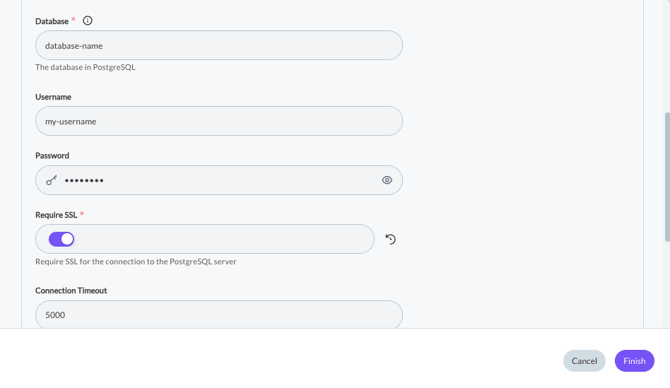
After, please insert your Postgre credentials: Host, Port, Database, Username and Password.
Toggle on SSL if needed. 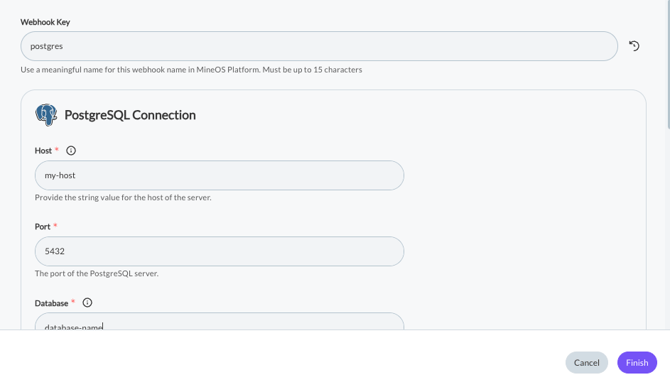
- The SQL Query should reflect your table with the columns to retrieve the user id. Since email is our primary identifier, we take the email value from the ticket and format it into the $email variable from your query as a parameter.
In order for us to access the user id we'll need the query result column name e.g., user_id in the example provided here: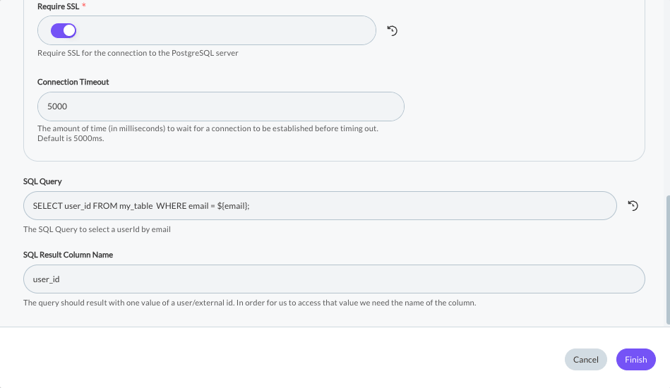
- Click Finish and you're good to go!
Reconfiguring The Integration
If you want to change any of the settings, go back to the integration and select "Reconfigure". The setup flow will appear allowing you to change any of the existing config fields.