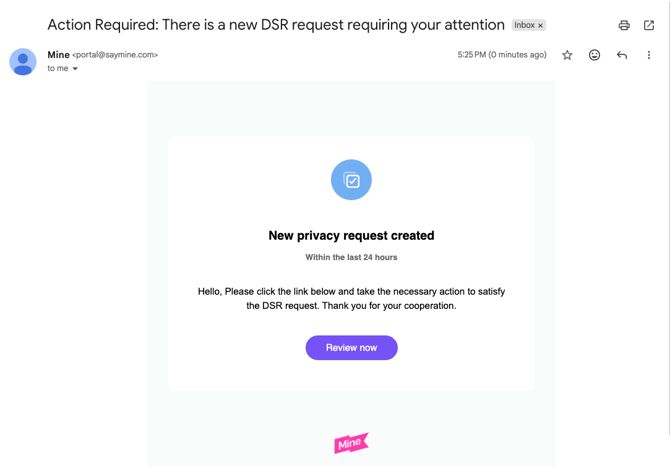
This integration is ment to serve the DSR authorized agent flow.
You can add it to any of your DSR workflows (Copy/Delete etc.) so that every DSR you are processing, the authorized agent will receive an email with the request link into Mine's portal.
Thus the agent can login to the portal and manage it's relevant sub task e.g., a manual instance of this integration.
This integration allows you to:
- Notify an authorized agent by email to login to Mine's portal and complete designated tasks.
Before you start
- Make sure your Mine plan supports integrations.
- The Integration Builder is open in your portal.
Setting up
To connect the Notify Suppliers By Email integration, follow these steps:
- Go to your Inventory in Mine.
- Add DSR Workflow Helper if it doesn't exist there.
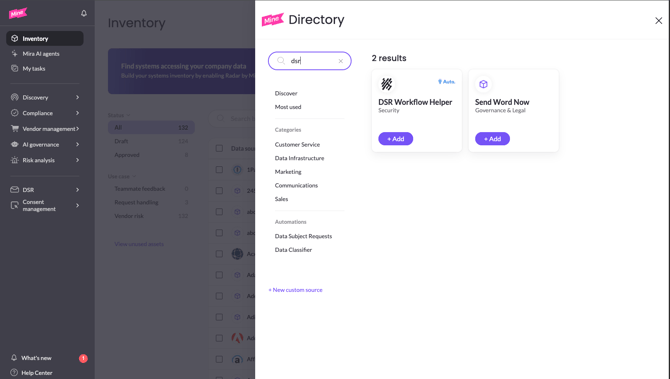
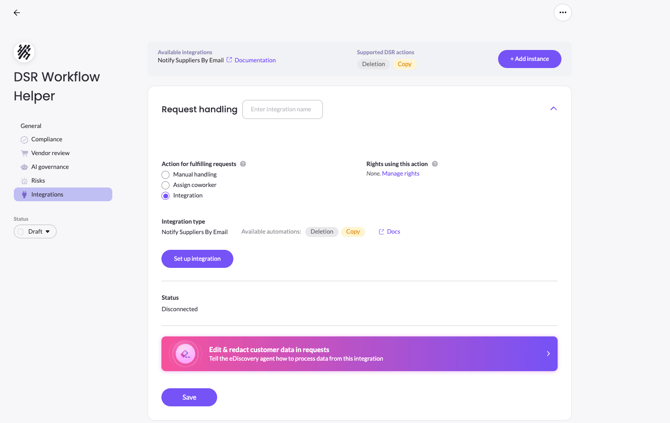
- Add a new integration instance and click Setup Integration.
- Enter the relevant fields you'd like.
The recipient email should be the authorized agent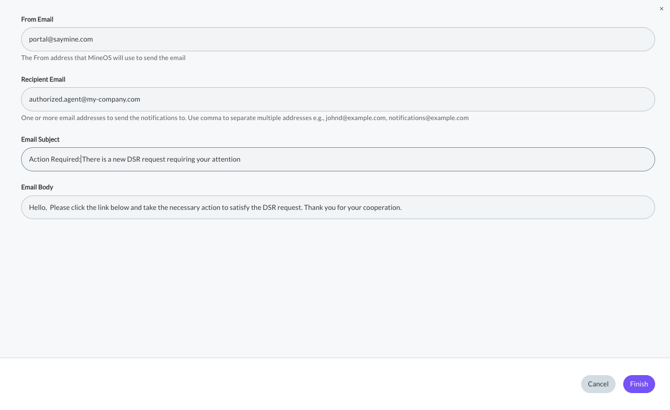
- Click finish, save and you are good to go!
Result email example: