
This integration allows you to:
- Automate data access (“Copy”) privacy requests in Filevine.
- Preview and search contact data in Filevine.
Before you start
- Make sure your MineOS plan supports integrations.
- Make sure you have access to the Filevine API.
- Generate a PAT: Generate an access token in Filevine’s Account Manager.
- Register your client ID and secret: Ensure that your client ID and secret are registered. You will need this information for authentication. Contact a Filevine representative for assistance if needed.
Setting up
To connect the Filevine integration, follow these steps:
- Go to your Inventory in MineOS.
- Add Filevine if it doesn't exist there.
- Add a new integration instance
- Click Setup Integration.
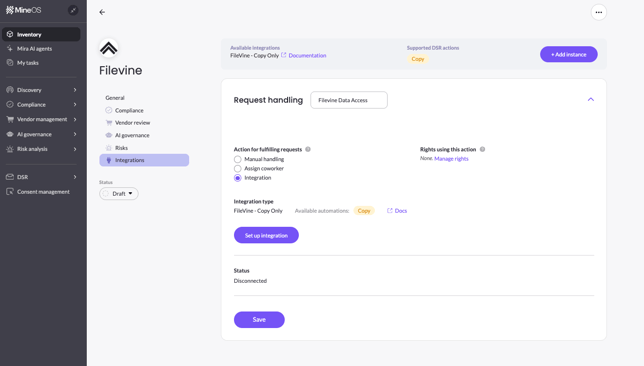
- Insert the following: Filevine PAT, client ID and secret and add an email address for alerts. Finally, make sure your MineOS Base URL is in the right region:
EU: https://portal.saymine.com
US: https://us.portal.saymine.com
Note: Since an email can be associated with multiple users, we return the data from the first user found. In case multiple users were found, to propagate this back to the user, we send an email with the user ids.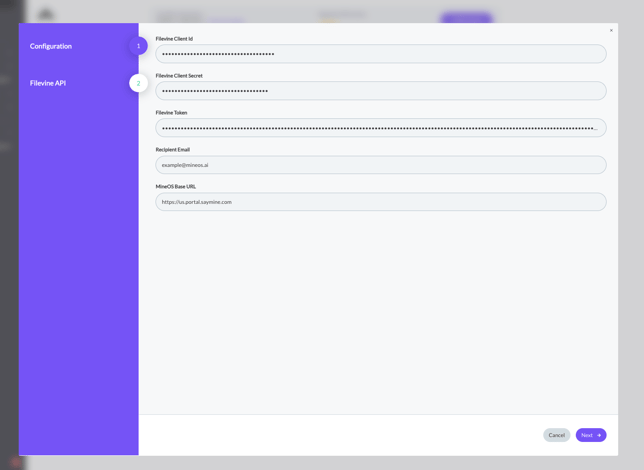
- Verify that grant type and scope are configured correctly. Enable Rotate Header Values if you need to automatically refresh required Filevine header values. Finally, enter your Filevine Org Id.
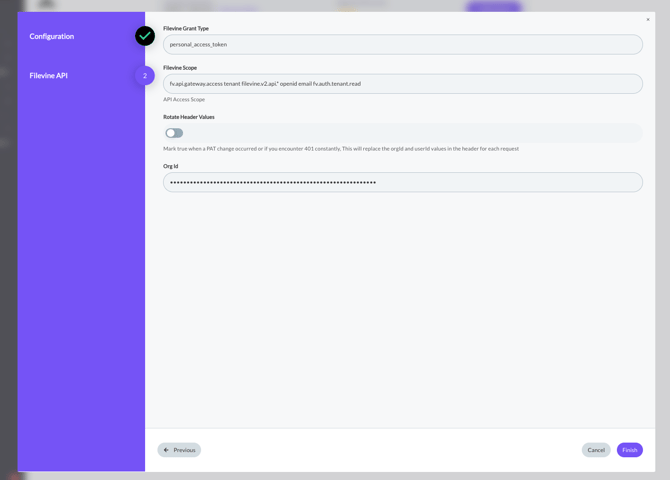
- Click finish, save and you are good to go!