
This integration allows you to automate delete requests of user data from Ada.
Before you start
- Make sure your MineOS plan supports integrations.
- Make sure you have access and permissions to create an Ada API key.
Setting up
To connect the Ada integration, follow the steps below:
- In Ada go to Settings -> Integrations -> APIs
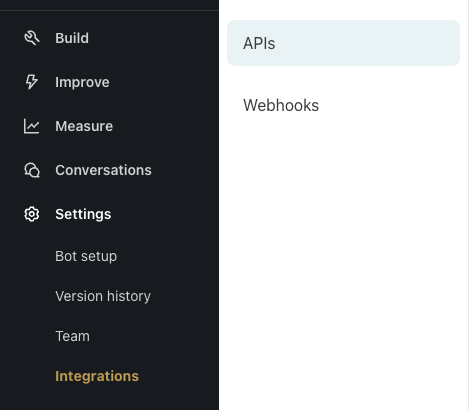
- Create a New API Key

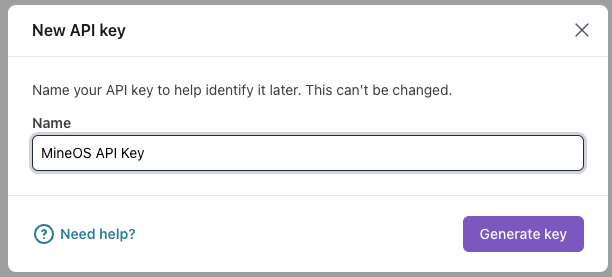
- Make sure to copy the API Key!
- Now go over to your Mine Portal. Go to “Data Sources” and look for “Ada”. In the integrations pick: Ada - DSR Delete Only and click Setup integration.
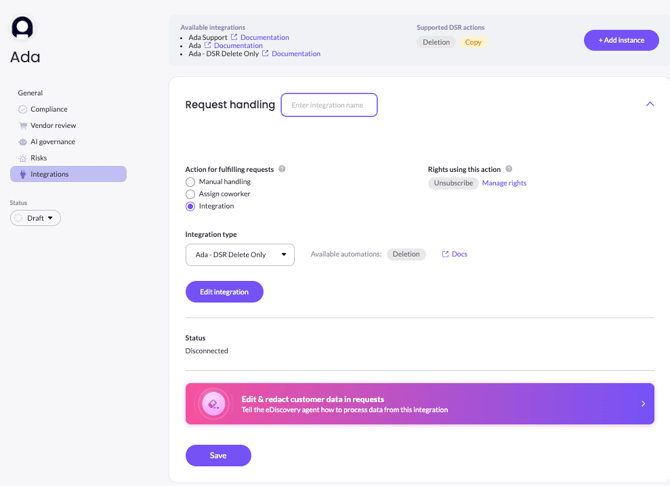
- Enter your API key and Custom base URL.
Note: We use the data compliance endpoint in this integration meaning we append to the Base URL: "/api/v1/data-subject-request". Make sure not to add a "/" at the end or any other symbol.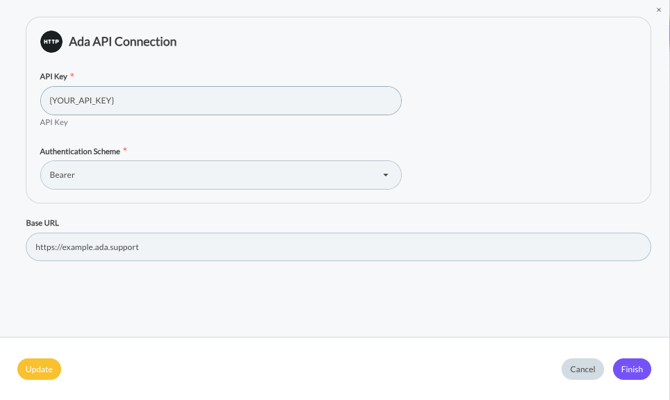
- Click Finish. (If you have an Update yellow button like in the above, feel free to update your integration's version).
That's it! MineOS is now connected to your Ada account. You can now easily delete your customer's data.